Sendly for Slack
Post bounce spikes, failed sends, finished campaigns and domain results into a Slack channel, and check delivery stats with /sendly.
Last updated 2026-10-17
What posts to the channel
Sendly sends transactional and marketing email. The Slack app tells your team when something in that sending needs a look, in the channel you choose, without anyone watching the dashboard.
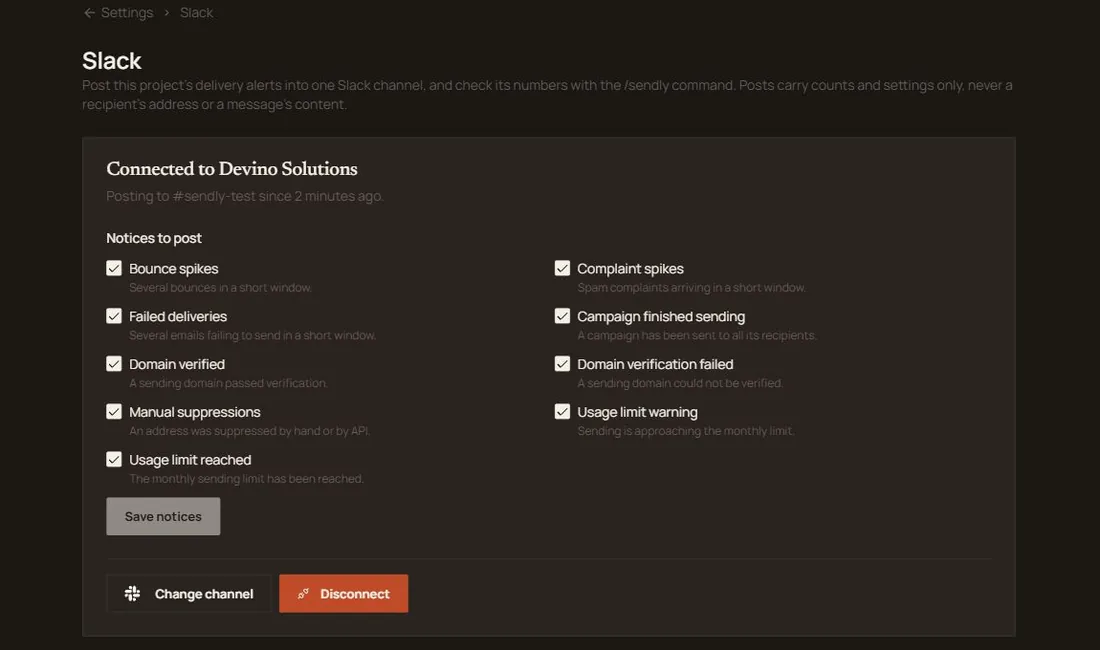
- Bounce, complaint and failed-send spikes, as one count per spike rather than one post per message
- A campaign that has finished sending
- A sending domain that passed or failed verification
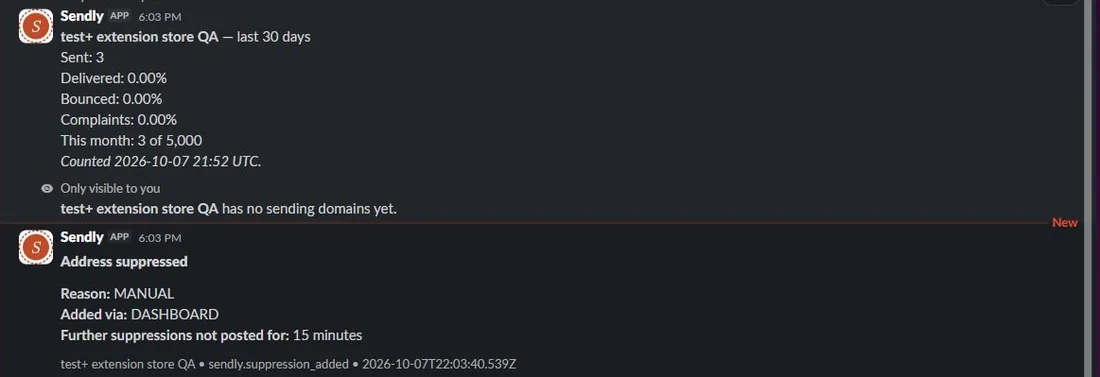
- An address suppressed by hand or through the API
- Sending that is close to, or has reached, the monthly limit
Each kind can be turned off for the project, and each project posts to its own channel.
Ask from Slack
| Command | Answers with |
|---|---|
| /sendly stats | Recent sends, the delivered, bounce and complaint rates, and this month's usage |
| /sendly domains | Each sending domain and whether it is verified |
| /sendly help | The list of commands |
Only the person who typed the command sees the answer.
How to connect it
- In the Sendly dashboard, open Settings, then Slack, for the project. You need to be an admin of the project.
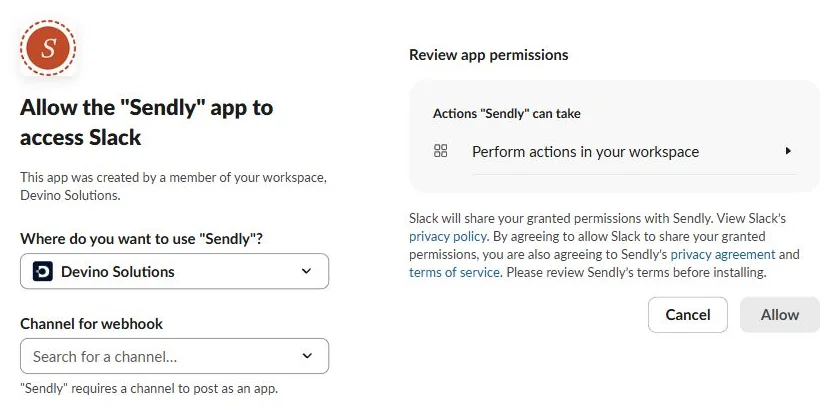
- Select Add to Slack, and pick the channel on Slack's approval screen.
- Choose which notices post. All of them are on to begin with.
Read the Slack setup guide for the thresholds behind each notice and what Sendly stores about the connection.
What it can reach
| Slack permission | Why Sendly asks for it |
|---|---|
| incoming-webhook | To post to the one channel picked during install, and nowhere else |
| commands | To add the /sendly command |
The channel's posting address and the app's token are stored encrypted, and they are never shown in the dashboard or the API.
What it looks like
Questions people ask
- Can the Slack app read messages in my workspace?
- No. It asks Slack for two permissions: posting to the one channel you pick when you install it, and the /sendly command. It cannot read messages, list channels or see who is in the workspace.
- Does a Slack post ever include a recipient's email address?
- No. Posts carry counts and settings, such as how many bounces arrived or which domain was verified. A recipient's address, a subject line and a message body are never posted.
- Who sees the answer to /sendly?
- Only the person who typed the command. It answers in the channel the project posts to, and nowhere else.
- How do I disconnect it?
- Select Disconnect under Settings, Slack in Sendly, or remove the app from your Slack workspace. Either way, Sendly deletes everything it stored about the connection.
Something on this page out of date, or missing the case you are in? Write to support@sendly.now — we answer our own email. The full technical detail lives in the documentation.